WeatherDashboard
1.0.0

A weather dashboard designed to display information from the Raspberry Pi Weather Station, works with a MongoDB database.
Detailed documentation is in the docs directory.
If any problems occur, open an issue.
Dependencies:
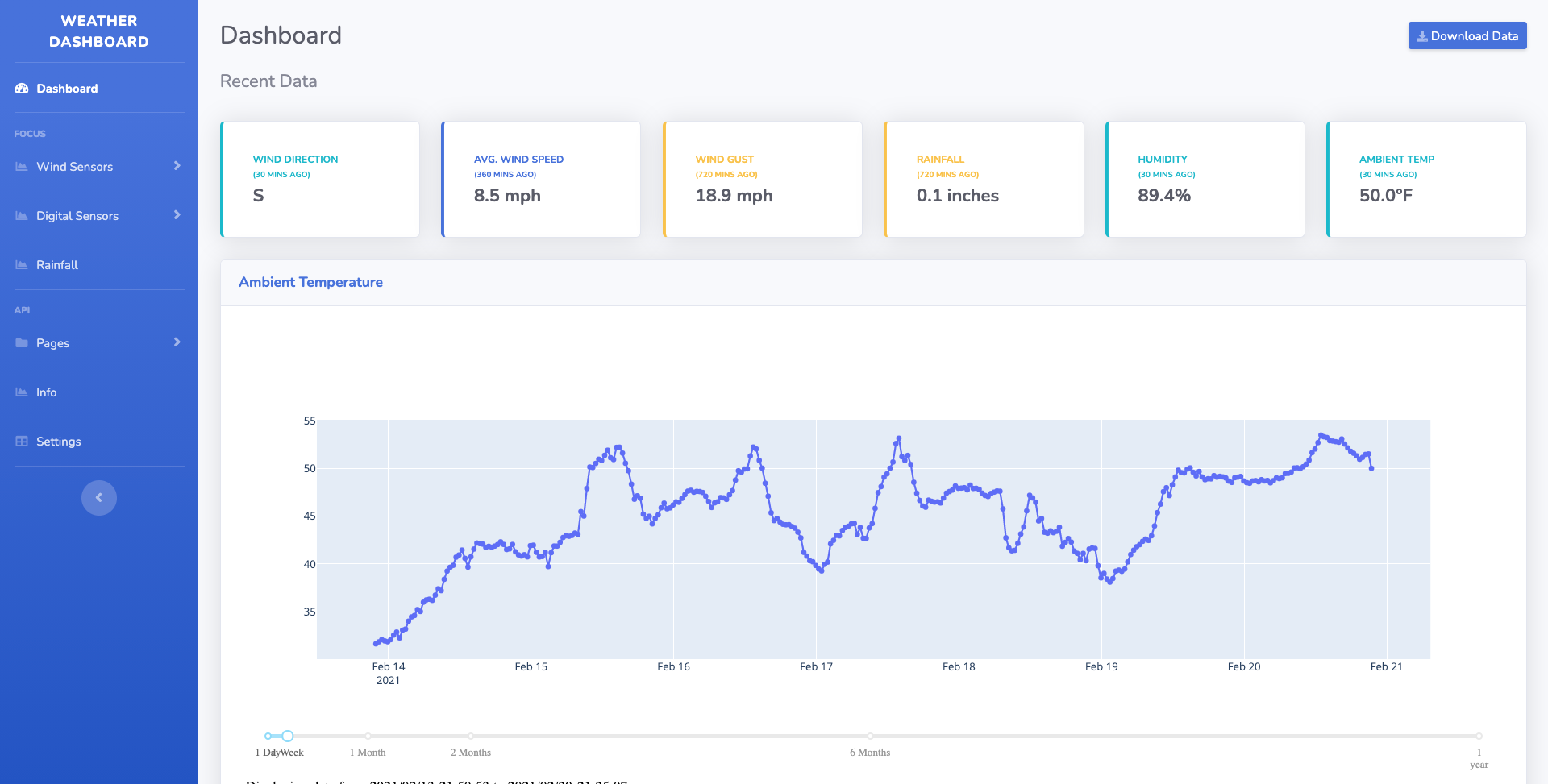
Basic steps on setting up the dashboard for your own LAN
git clone https://www.github.com/twosails/WeatherDashboard.gitmaster branch or other version branches to get specific features. This can be done
by clicking the green code button in the top right corner..zip from the latest release.cd WeatherDashboard’, and then install the requirements by using the
command: python3 -m pip install -r requirements.txt
This should install all required dependencies, but if a ModuleNotFoundError occurs, open an issue and manually
install the library/modulepython3 manage.py migratepython3 manage.py createsuperuserThe configuration is required for an error to not occur when loading into the
dashbaordpage. Configuration can be done by manually editing the config file inWeatherDashboard/weatherapp/util/config.ymlOr it can be configured n the Django Admin Page, requiring a restart to apply changes
python3 manage.py runserverFor more details about how to use this system and configure settings, go to
the docs directory or in
the wiki.
This was a personal project developed by @twosails Feel free to open an issue or pull request to add/suggest an idea for future features or support.
Any contributions are welcomed and appreciated







