Fiddle
1.0.0


Fiddle is a lightweight tool to edit, compile and run simple scripts/snippets in any of the supported languages.
ToDo's
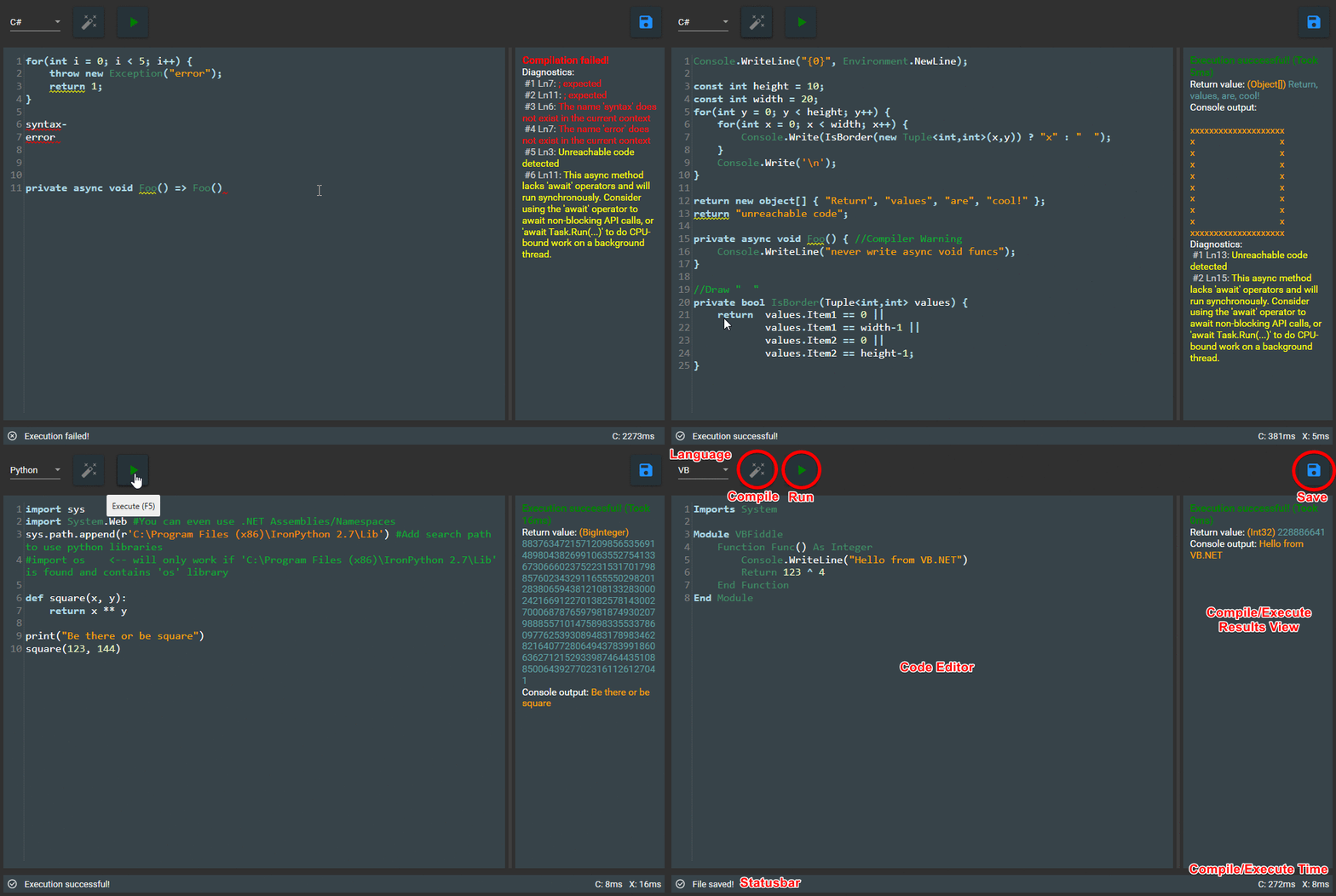 (See all screenshots)
The purpose of Fiddle is to simplify the Task of quickly creating small code snippets, like file-rename-scripts.
Instead of:
Open Visual Studio -> (wait) -> File -> New -> New Project -> .NET -> Console App -> (enter name) -> Create -> (wait) -> Open Program.cs -> Write code -> Build -> (wait) -> Start
Do: Open Fiddle -> Write code -> Start
These features apply to all imported languages
A directory will be created at %appdata%Fiddle containing Preferences.json (crash reports will be stored as "error.txt").
Preferences.json can be edited with the Settings window in Fiddle or by manually changing it via any text editor.
However, the settings window cannot modify the imports[], DefaultCode and window dimensions/cursor position properties, this is not fully implemented. For now you can use Preferences.json to manually edit these.
Visual Studio
Fiddle.slnCommand Line
nuget restore command in Fiddle directory (Requires NuGet installed and configured in Environment variables)msbuild Fiddle.sln /t:Build /p:Configuration=Release or msbuild Fiddle.sln /t:Build /p:Configuration=Publish for InnoSetup installer (Requires MsBuild installed and configured in Environment variables)Make bugfixes or other changes
.. or ..
Add a new Compiler
Fiddle.CompilersImplementation[LanguageName]:
..[LanguageName]Compiler.cs : ICompiler..[LanguageName]CompileResult.cs : ICompileResult..[LanguageName]Diagnostic.cs : IDiagnostic..[LanguageName]ExecuteResult.cs : IExecuteResultCSharpCSharpCompiler.cs)Fiddle.CompilersHost.Language enum with user-friendly [Description("..")] AttributeFiddle.UIHelper.cs (Fiddle.UIHelper.GetFilterForLanguage(..), ..)Fiddle.UISyntax[LanguageName].xshdDoc[LanguageName].md and linking it in DocREADME.md