input password bullet
1.0.0

Gehen Sie zu Fontello oder einer gleichwertigen Website.
Wählen oder laden Sie ein Symbol hoch.
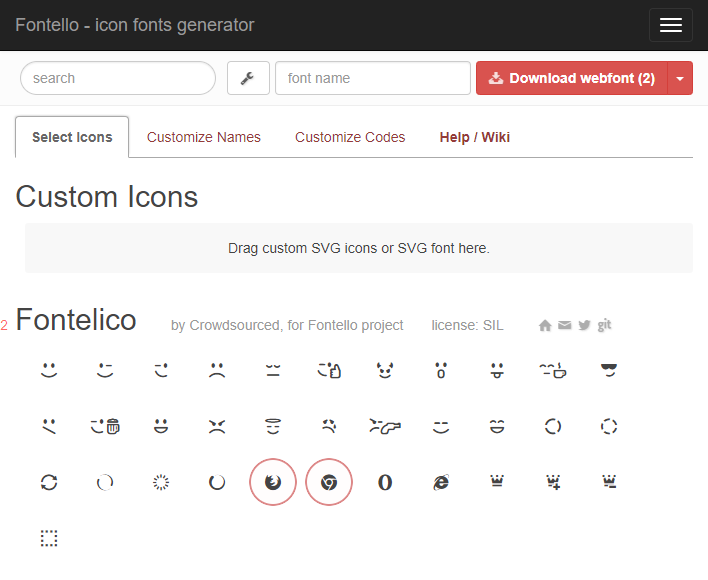
Wählen Sie die Registerkarte "Codes anpassen".
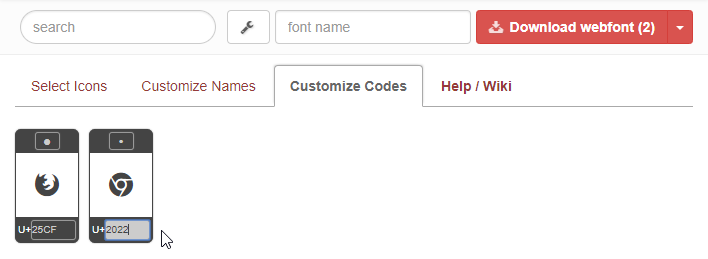
Ändern Sie das Glyph -Ziel in U+"2022", um das Kugelsymbol in Webkit -Browsern zu ersetzen.
Ändern Sie das Glyphenziel in U+"25CF", um das Kugelsymbol in Firefox & MS Edge zu ersetzen.
Laden Sie WebFont herunter.
Fügen Sie die Schriftartdateien auf Ihrer Website hinzu und schließen Sie das folgende CSS an (Hinweis 0000 ändert sich je nach Glyphen- und Glyphenziel).
 /* Use the css below to change the password input symbol */
@font-face {
	font-family : 'fontello' ;
	src : url ( './font/fontello.eot?0000' );
	src : url ( './font/fontello.eot?0000#iefix' ) format ( 'embedded-opentype' ) ,
	     url ( './font/fontello.woff2?0000' ) format ( 'woff2' ) ,
	     url ( './font/fontello.woff?0000' ) format ( 'woff' ) ,
	     url ( './font/fontello.ttf?0000' ) format ( 'truetype' ) ,
	     url ( './font/fontello.svg?0000#fontello' ) format ( 'svg' );
	font-weight : normal;
	font-style : normal;
}

input [ type = "password" ] {
	font-family : "fontello" ;
	font-style : normal;
	font-weight : normal;
	speak : none;

	/* For safety - reset parent styles, that can break glyph codes*/
	font-variant : normal;
	text-transform : none;

	/* Font smoothing. That was taken from TWBS */
	-webkit-font-smoothing : antialiased;
	-moz-osx-font-smoothing : grayscale;
	/* Uncomment for 3D effect */
	/* text-shadow: 1px 1px 1px rgba(127, 127, 127, 0.3); */

	/* add spacing to better separate each image */
	letter-spacing : 2 px ;
}
Schauen Sie sich die Demo an










