LMS_Admin_Project
1.0.0

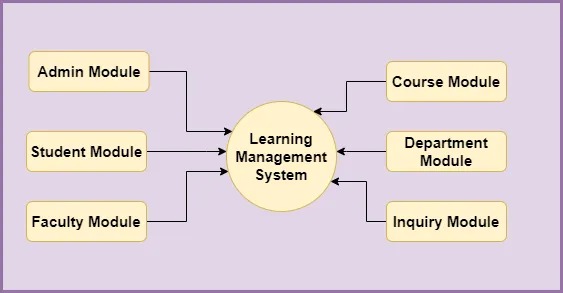
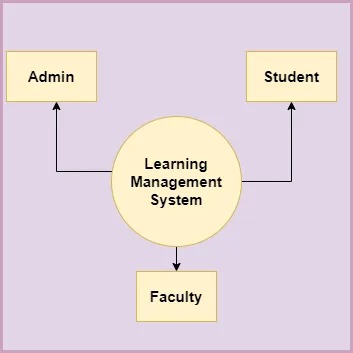
Benutzerrollen des Lernverwaltungssystems Es gibt drei Arten von Benutzern, die direkt mit der Anwendung interagieren 1) Admin 2) Studenten 3) Fakultät
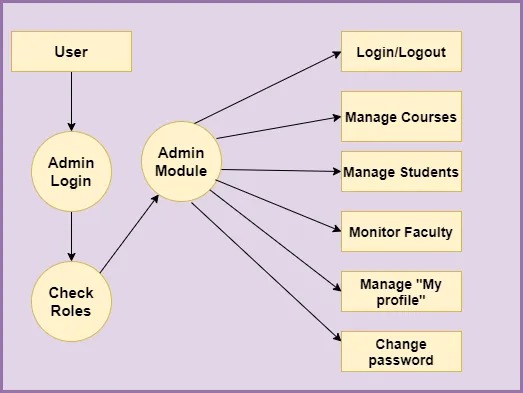
 1) Can log in/log out of the system.
 2) Can View and Add/EDIT/Delete new faculty into the system.
 3) Can View and Add/EDIT/Delete new Students into the system.
 4) Can view new complaints.
 5) Can View and Add/EDIT/Delete assignments and Subject Notes.
 6) Can View and Add/EDIT/Delete courses and learning programs.
 7) Can manage students and faculty members.
 8) Can send notifications to students and faculty members.
 9) Can manage “MY Profile”.
 10) Can change password.
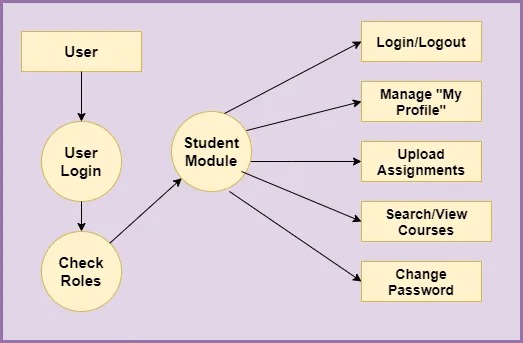
  1) Can log in/log out of the system.
  2) Can view faculty.
  3) Can view educational courses and learning programs.
  4) Can Add/View complaints.
  5) Can view attendance, results, assignments, and Subject Notes.
  6) Can upload assignments.
  7) Can do inquiries.
  8) Can manage “MY Profile”.
  9) Can change password.
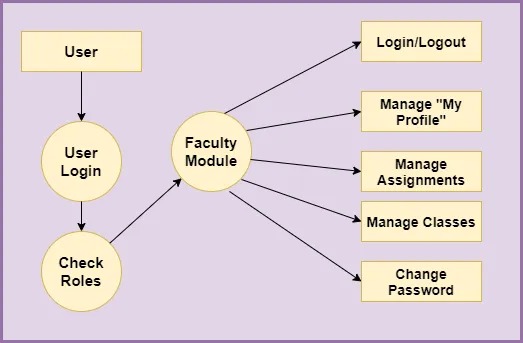
  1) Can log in/log out of the system.
  2) Can view faculty.
  3) Can view educational courses and learning programs.
  4) Can view and add classes, assignments, results, study materials, etc.
  5) Can view attendance, results, and assignments of students.
  6) Can upload assignments.
  7) Can send important messages to students.
  8) Can manage “MY Profile”.
  9) Can change password.