
秒剪app怎么调整照片尺寸
- 作者:互联网
- 时间:2023-05-25 11:15:20
秒剪app怎么调整照片尺寸 秒剪更改视频比例方法介绍,赶快一起来看看吧。
打开秒剪
在手机中,点击打开秒剪应用,如图所示:

打开手机相册
软件打开后,点击从手机相册选取照片或视频,如图所示:

导入视频
在手机相册中,选择一个视频,点击完成,如图所示:

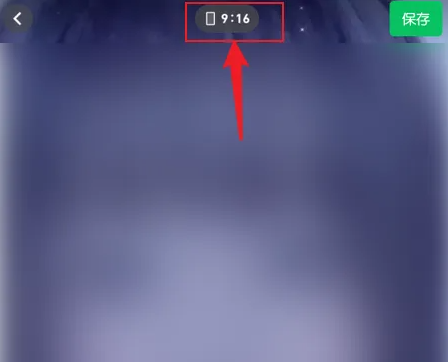
点击9:16
进入视频编辑界面后,点击顶部的9:16,如图所示:
点击16:9
在展开的选项中,点击16:9,如图所示:

修改完成
操作完成后,视频比例修改为16:9完成,如图所示:

上一篇: 塞尔达传说王国之泪塔尼诺乌达神庙怎么解锁
下一篇: 汉字找茬王神仙姐姐剧通关攻略
相关阅读
- 无畏契约手游怎么设置 2026-02-11
- 秘塔网页版入口-秘塔官网登录一键直达 2026-02-11
- 幻想生活i矿物关底首领的分布位置点及掉落物 2026-02-11
- 12306火车票余票查询直达入口-12306特价火车票限时查询 2026-02-11
- 命运群星角色推荐榜榜单一览 2026-02-11
- 漫蛙入口热搜极速直达-漫蛙入口最热搜索一键直达 2026-02-11